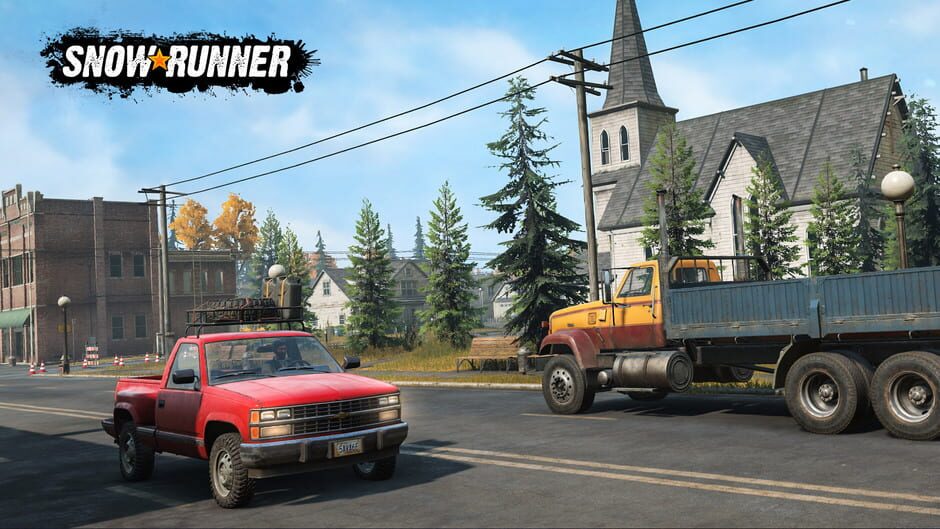
A well-crafted racing experience, SnowRunner is well worth your time.
87
Verdict
90%
Steam
81
IGDB
Verdict score based on confidence-adjusted Steam reviews?
Very Positive on Steam (90% positive from 52K reviews)
Healthy player count of 2,346 concurrent
Critically acclaimed (81/100 critic average)
Rich open world to explore
No significant drawbacks reported
SnowRunner is a 2020 simulation video game developed by Saber Interactive and published by Focus Home Interactive. Following on from Spintires and the sequel MudRunner, the game was announced as MudRunner 2 in August 2018. Focus Home and Saber Interactive re-revealed the title a year later as SnowRunner. The game was released for Microsoft Windows, PlayStation 4, and Xbox One on April 28, 2020, which was followed by a port for Nintendo Switch on May 18, 2021. It was released for PlayStation 5 and Xbox Series X/S on May 31, 2022. SnowRunner has the player control off-road vehicles as they traverse locations to complete objectives. The game features over 60 different vehicles and more than 15 locations. Much of the content is delivered across 4 anniversary year editions as DLC. A spin-off title, Expeditions: A MudRunner Game was released on March 5, 2024.
Runs well on modern hardware.
Last updated 2d ago
I bounce between this and Mudrunner. Mudrunner has the delicious physics engine but Snowrunner is more of a complete game. If you want accessibility buy this, if you want satisfaction go for Mudrunner.
There is something that feels very off about this game and how it plays, at least to me. For starters, the game starts you off in a pickup truck, intended for use as a scouting vehicle. Okay, makes sense. It has offroad tires, you can lock the diff... it can get around, right? But then, why is it that the first truck you unlock, being a giant GMC, is classed as a highway truck, with highway tires, in... an offroad driving sim game where your expected driving conditions involve almost anything but paved roads? What? I find the lack of a manual gearbox option very strange, considering Mudrunner had that option. Being able to select what gear you want to crawl in is very important for a ton of reasons. I don't think anyone interested in games like this need me to explain why. I don't know if I'm missing something or not, but the early-game seems very strange. Do I try to do missions to unlock parts to make my trucks more capable, or scout around for every watchtower first? This game's approach to progression is hands-off in a way that makes little sense to me. It doesn't even recommend missions for your specific truck/trailer setup so it's hard to know what you can actually do versus what's most likely to get you to call a towing service. On normal mode! Why does it feel so bad to drive on what paved roads the game does have? It feels like if I go any faster than "creep mode", my vehicle wants to send itself into the nearest hill and/or get stuck in a mudhole. Even the scouts have this problem. I know old Chevies aren't known for their snappy handling, but come on. Driving should feel good in a driving game, at minimum. I was looking for a worthy compliment to American Truck Simulator, but even at a discounted price, I still found myself disappointed with this game. It feels like the early game wasn't playtested and some features that exist in almost every other driving game simply doesn't exist here. I'd give this a pass just on first impressions alone. Edit: I forgot to mention that this game also lacks Workshop support, unlike Mudrunner.
Very good offroad driving game. Some strategy, much fun. Friends can play together. Some notes... Native performance requires dxvk to run without stuttering on most systems, especially AMD. You can download dxvk from the github of doitsujin. For the async version, get it from the GitLab of Ph42oN. Be cautious trusting other distributions. Default steering controls are designed for keyboard users. If you use a controller, go to the Game Settings, change Steering Mode to "Steering wheel". Yes, steering wheel mode even while using a controller! It is not intuitive, but this changes steering behavior to work like every other driving game, like GTA or NFS with a controller. There is deadzone added to controller sticks with no way to turn this off in the game. To remove deadzone for sticks, enable steam input and add negative deadzone to each stick. You will need to experiment to find the correct value. I created a controller profile you can download called gamepad10 that does this for you and perfectly removes deadzone.
Reviews sourced from Steam. All reviews belong to their respective authors.
Data sourced from RAWG, Steam, IGDB, CheapShark, Wikipedia, HLTB, and GX Corner. Sources: rawg, steam, igdb, wikipedia.
All game titles, trademarks, and copyrights belong to their respective owners.
